Automatic Apple Pay logging
Set up the WalletPal Shortcut once, then let Apple Pay purchases flow into your expense tracker automatically.
Automatic expense tracker app for iOS
WalletPal helps you log Apple Pay transactions through Apple Shortcuts, build smarter budgets, and keep an eye on subscriptions and bills without linking your bank account.
Built for the way people actually spend
Most spending trackers rely on manual entry or bank connections. WalletPal gives iPhone users another route: Apple Shortcuts can pass Apple Pay transaction details into the app, so your spending tracker stays useful with less admin.
Set up the WalletPal Shortcut once, then let Apple Pay purchases flow into your expense tracker automatically.
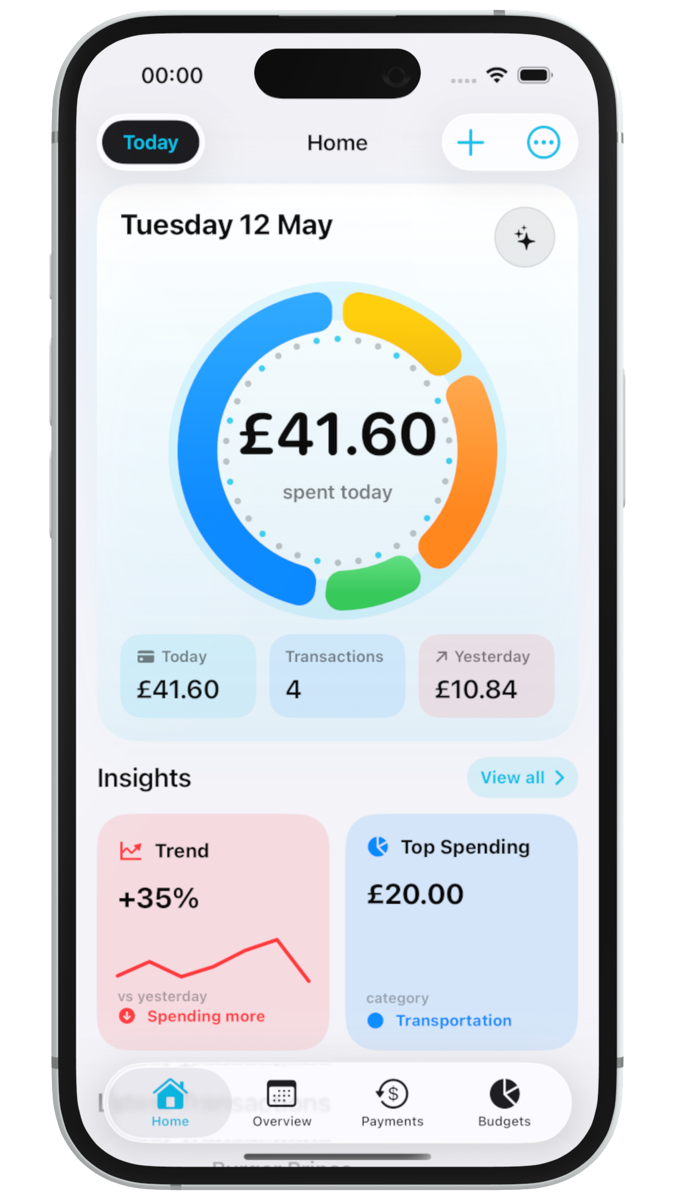
See where money is going across daily spend, top categories, trends, forecasts and custom dashboard widgets.
Add one-off transactions yourself whenever a purchase does not come through the Apple Pay automation.
Step-by-step tutorial
Follow the WalletPal guide to create the iPhone Shortcuts transaction automation and test that new transactions are being logged correctly. If you're here for the new notification trigger instead, we have a dedicated guide for that too.
Smart budget tracker
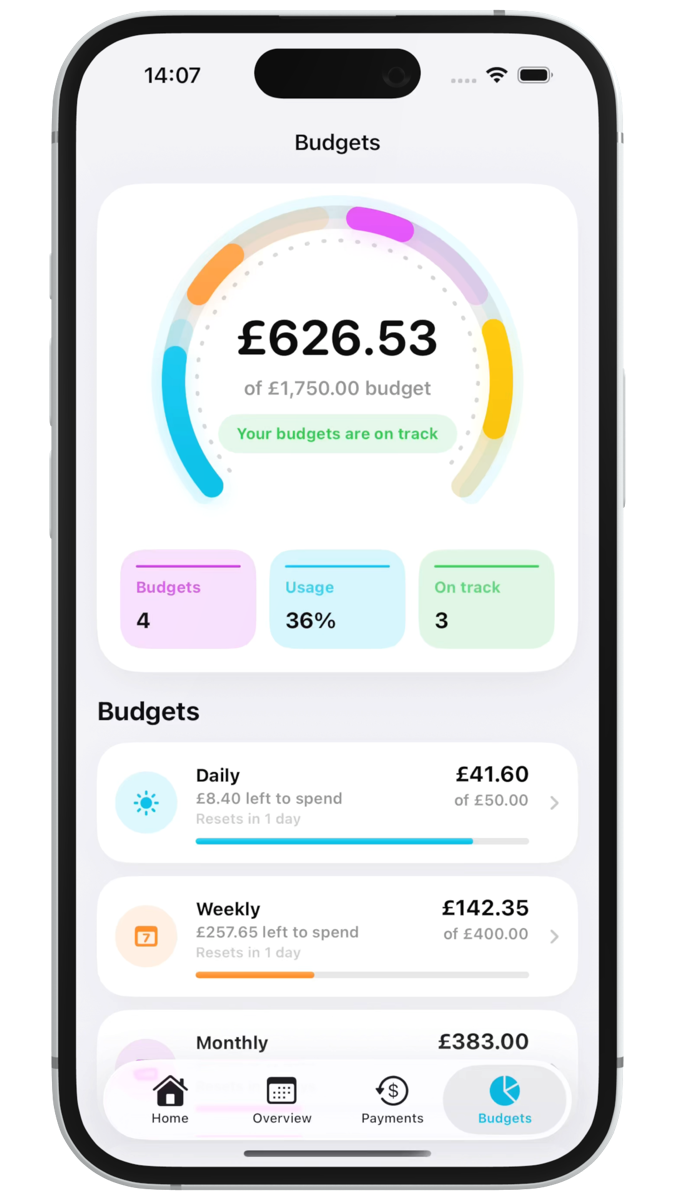
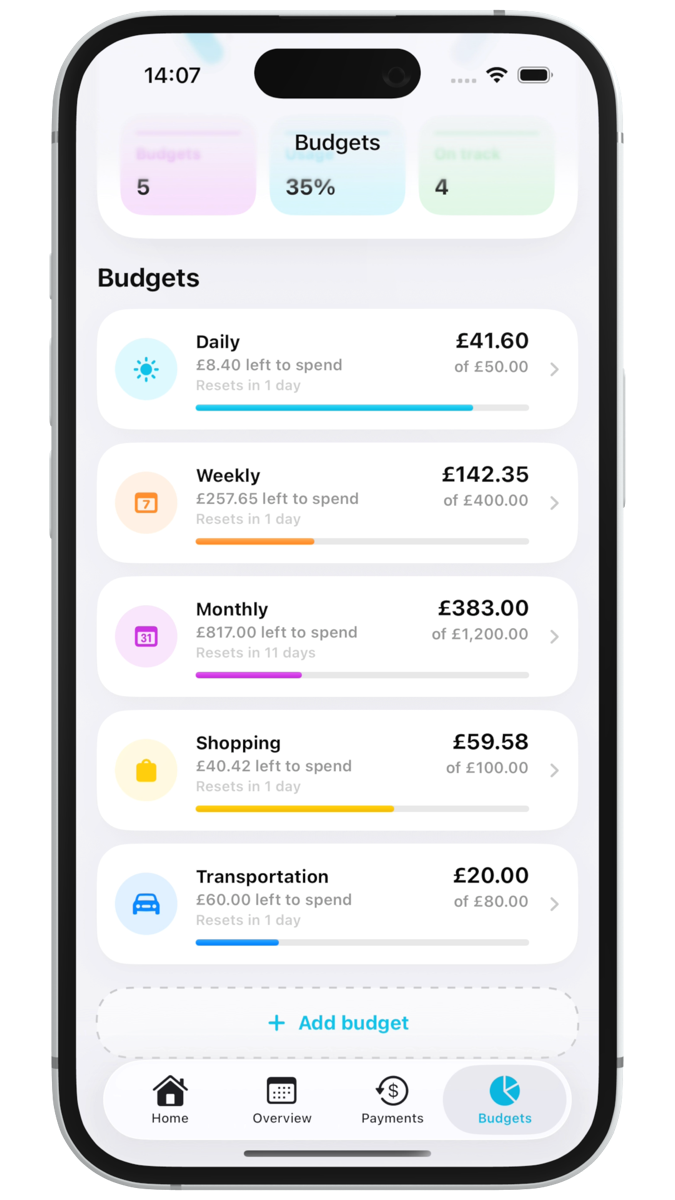
WalletPal turns your transactions into daily, weekly, monthly and custom budgets that are easy to understand at a glance.
Get notified when you are approaching or exceeding a budget, so you can adjust before the end of the week or month.
Use daily, weekly, monthly and custom overviews to spot patterns in your spending without digging through every transaction.
Choose the insights that matter most to you, from forecasts and top spending categories to upcoming payments.
Private by design
WalletPal was built for people who want spending awareness without connecting a bank account to another finance app. You stay in control of what is logged, what is tracked, and what gets exported.
Track spending through Shortcuts automation or manual entry instead of handing over banking credentials.
Bring in past expenses or export your transactions when you want a spreadsheet-friendly backup.
Designed around Apple Pay, iOS notifications, widgets, Shortcuts and a native SwiftUI experience.
Spending tracker
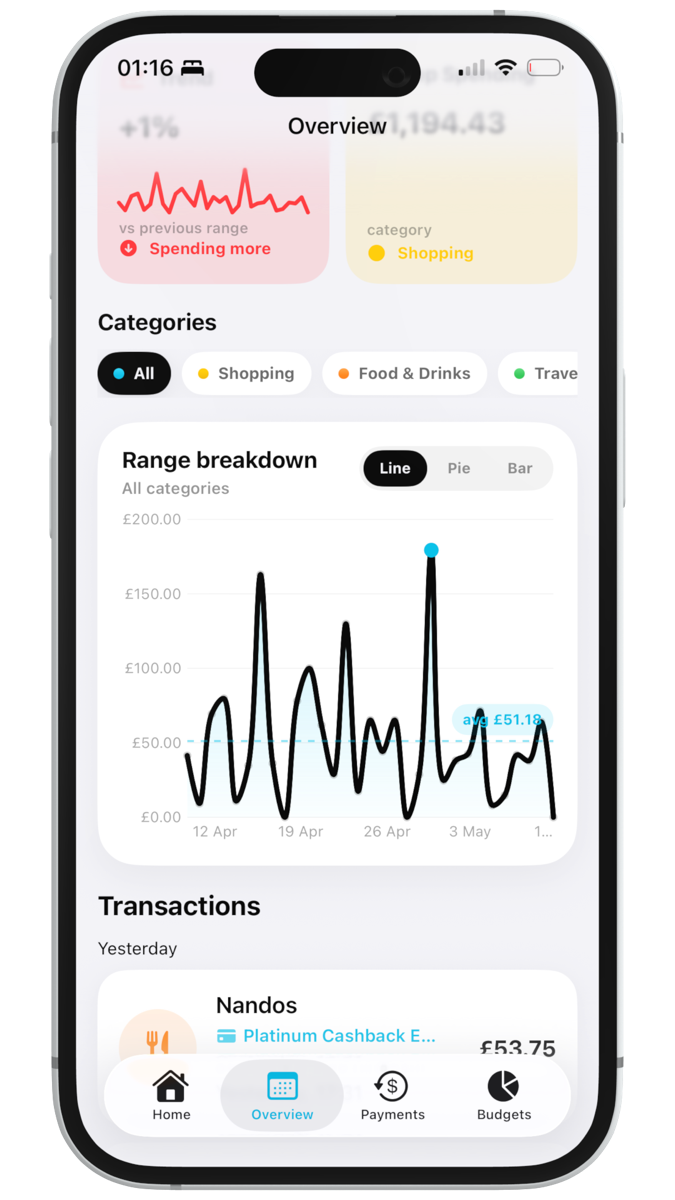
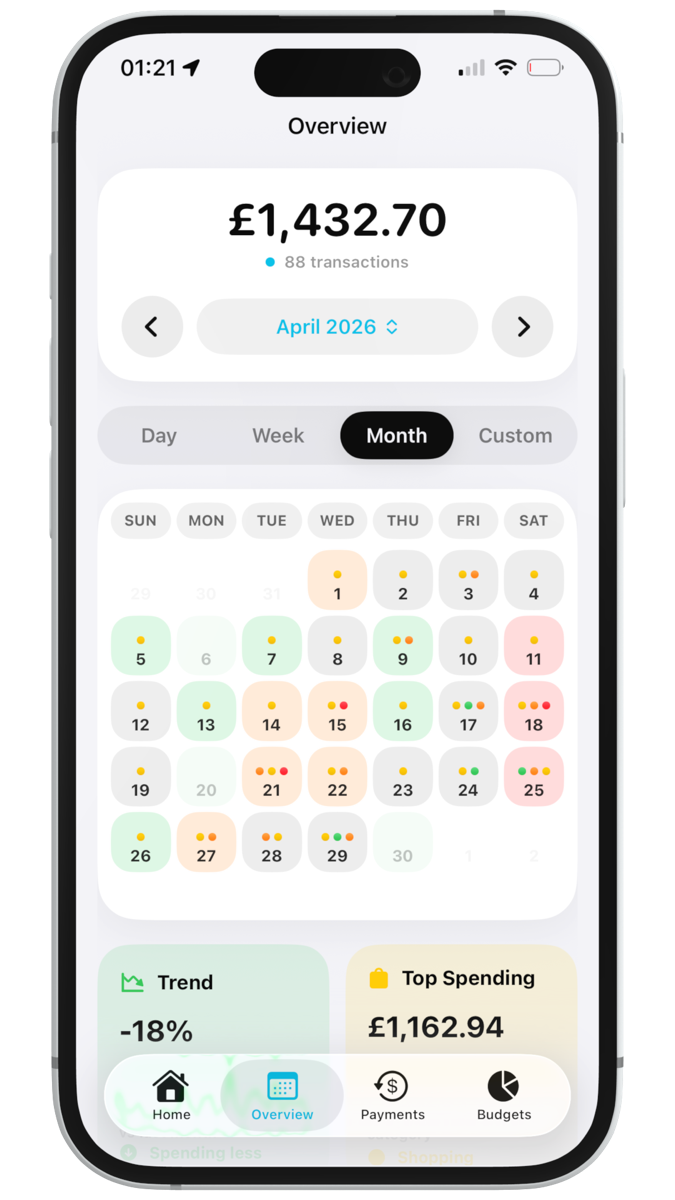
WalletPal gives you day, week, month and custom overviews so you can spot high-spend days, category trends and spending changes without opening a spreadsheet.
Move from today's transactions to broader patterns, including calendar heatmaps and category breakdowns.
Explore line, bar, pie and category charts built for quick answers rather than complicated reports.
Choose the cards that matter to you, like forecasts, top spending, upcoming payments and budget status.
Subscriptions and bills tracker
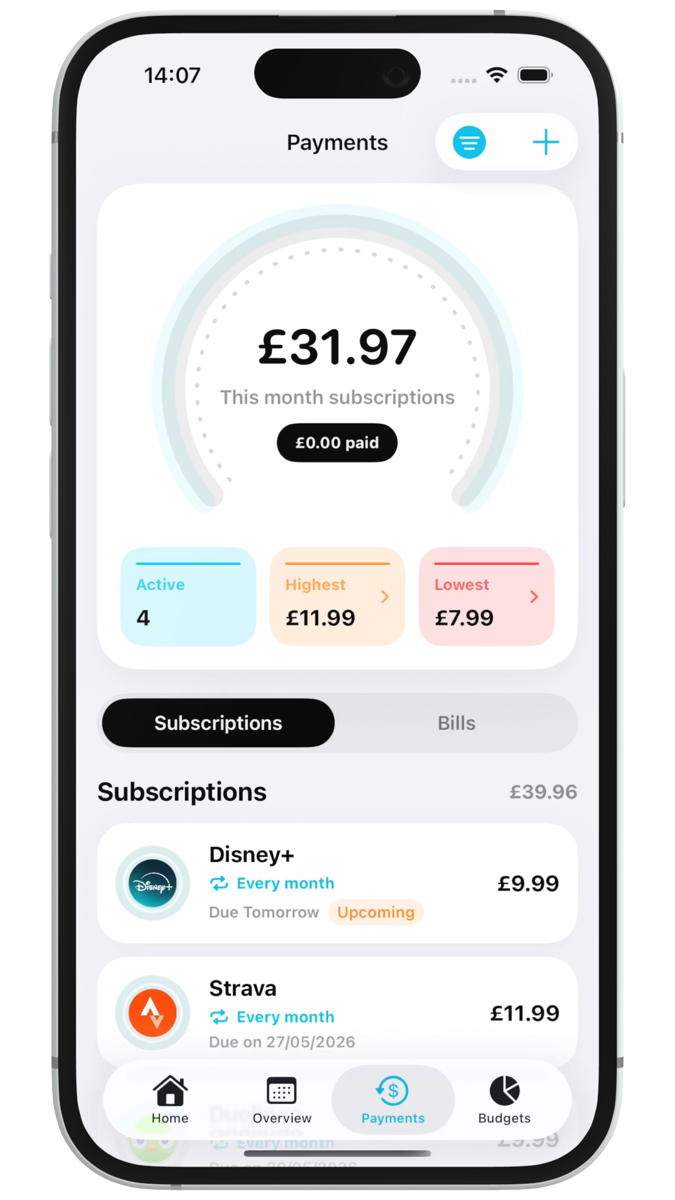
WalletPal keeps subscriptions, bills and direct debits together, so you can see monthly recurring costs and upcoming payments alongside your day-to-day spending.
Separate subscriptions from bills, sort by next payment date, and keep track of how much recurring payments cost each month.
Set reminders for upcoming payments, renewals and recurring costs so you are not caught out by forgotten bills.
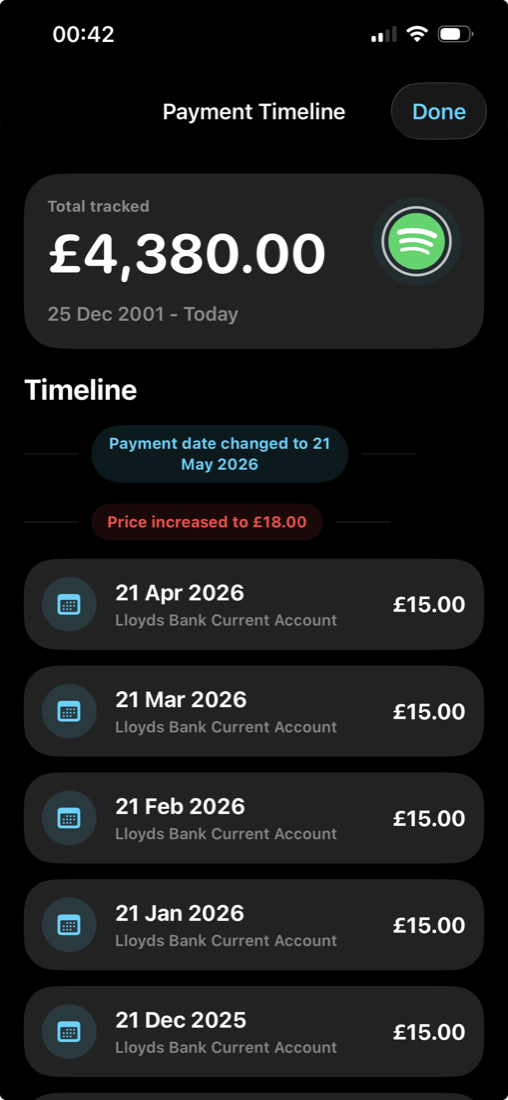
See how a recurring payment has changed over time, including price changes, payment method updates and frequency changes.
Why WalletPal
If manual expense tracking always falls apart after a few days, WalletPal is built to reduce the effort enough that the habit can finally stick.
You have to remember every purchase, type it in, categorize it, and hope you do not miss anything.
Useful, but not everyone wants to connect bank accounts or share more financial data than they need to.
Use Apple Shortcuts to log Apple Pay spending automatically, then manage budgets, subscriptions, bills and insights from one iPhone app.
FAQ
WalletPal uses Apple Shortcuts transaction automation. After setup, the Shortcut can pass supported Apple Pay transaction details into WalletPal so the app can log the expense.
Yes. You can create daily, weekly, monthly and custom budgets, get notifications, and see budget progress inside the dashboard.
Yes. You can still manually add transactions, import expenses from CSV, export to a spreadsheet, track recurring payments and use budgets.
WalletPal is iOS-only and built around Apple-native features such as Shortcuts, notifications, widgets and Apple Pay workflows.
Yes. WalletPal includes recurring payment tracking for subscriptions, bills and direct debits, including payment reminders and monthly totals.
On supported devices, WalletPal can generate a written spending summary using Apple's Foundation Models on iOS 26.
Automatic expense tracker app for iPhone
Track Apple Pay spending, build smart budgets, monitor subscriptions and bills, and get alerts before money quietly disappears.